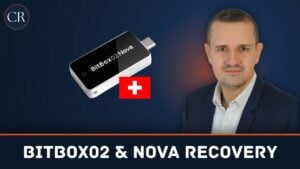
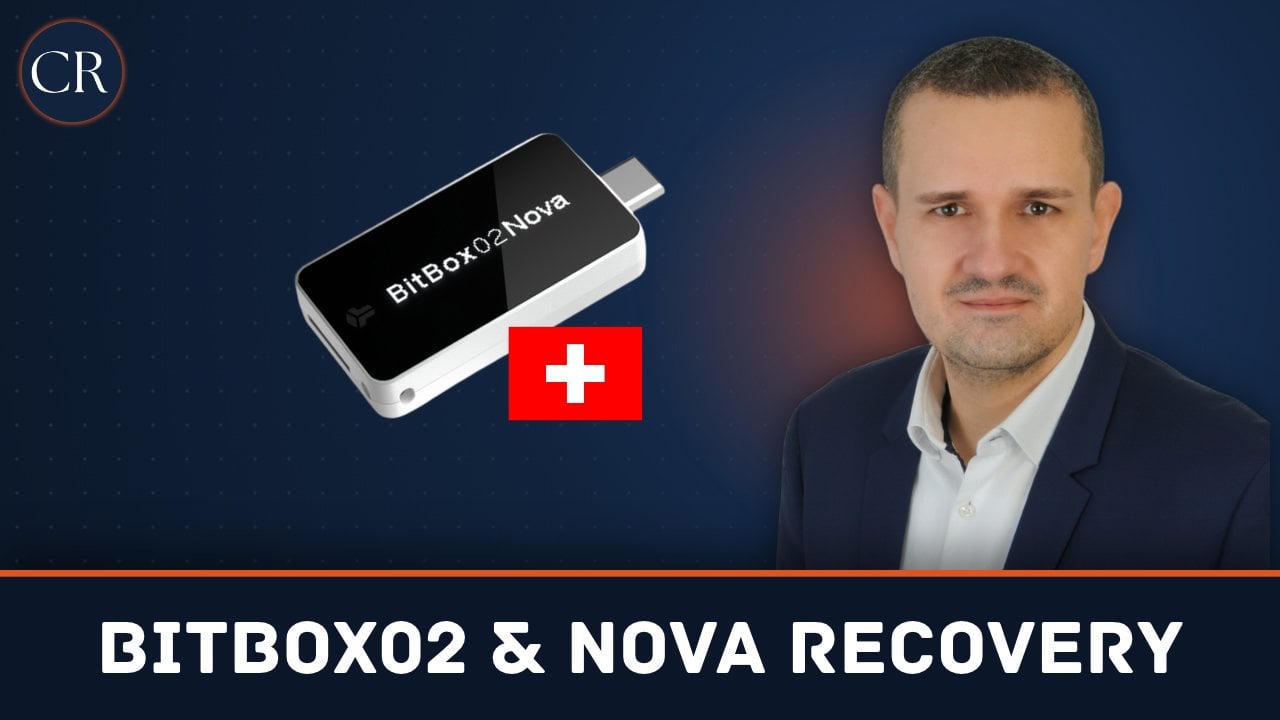
The BitBox02 and the newer BitBox Nova are hardware wallets from the Swiss manufacturer Shift Crypto AG. They are considered easy to use, mainly because the backup is created automatically on a microSD card. In an emergency, that raises questions: what to do if the device is lost or broken, the device password is forgotten or funds are missing after a restore? Based on the official BitBox help center, this guide explains how to recover your BitBox and which mistakes to avoid at all costs.
Key points
- Your coins are on the blockchain, not in the device. With the microSD backup or the 24 words, you restore the wallet on a new BitBox, even without the old device and its password.
- The microSD backup is not encrypted. Whoever has the card has access to the wallet.
- After ten wrong password attempts, the BitBox resets itself. Without a working backup, the wallet is then lost.
- An optional passphrase is contained neither in the backup nor in the words. Without it, a different, empty wallet opens.
BitBox02 and BitBox Nova: what is the difference?
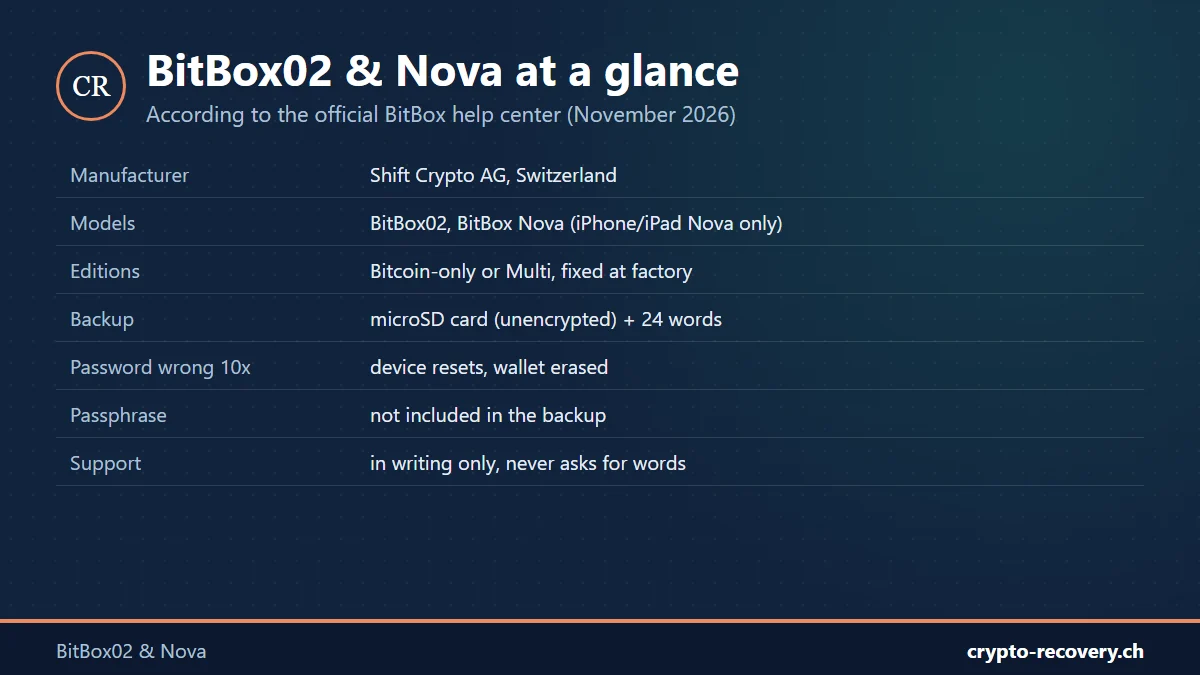
BitBox02 and BitBox Nova are two hardware models of the same family. Both are used with the BitBoxApp, both create a backup on the included microSD card by default and work with 24 English recovery words (BIP39), or 12 in an advanced setup. The most important practical difference: to use the BitBoxApp on an iPhone or iPad, you need the BitBox Nova, which connects via Bluetooth.
Regardless of the model, there are two editions: Bitcoin-only supports only Bitcoin, Multi also supports Ethereum, Litecoin, Cardano and other coins, plus use as a security key (FIDO U2F). The edition is set at the factory and cannot be changed by an update or a reset. A Bitcoin-only BitBox therefore cannot manage Ethereum balances from a restored wallet.
The backup: microSD card or 24 words
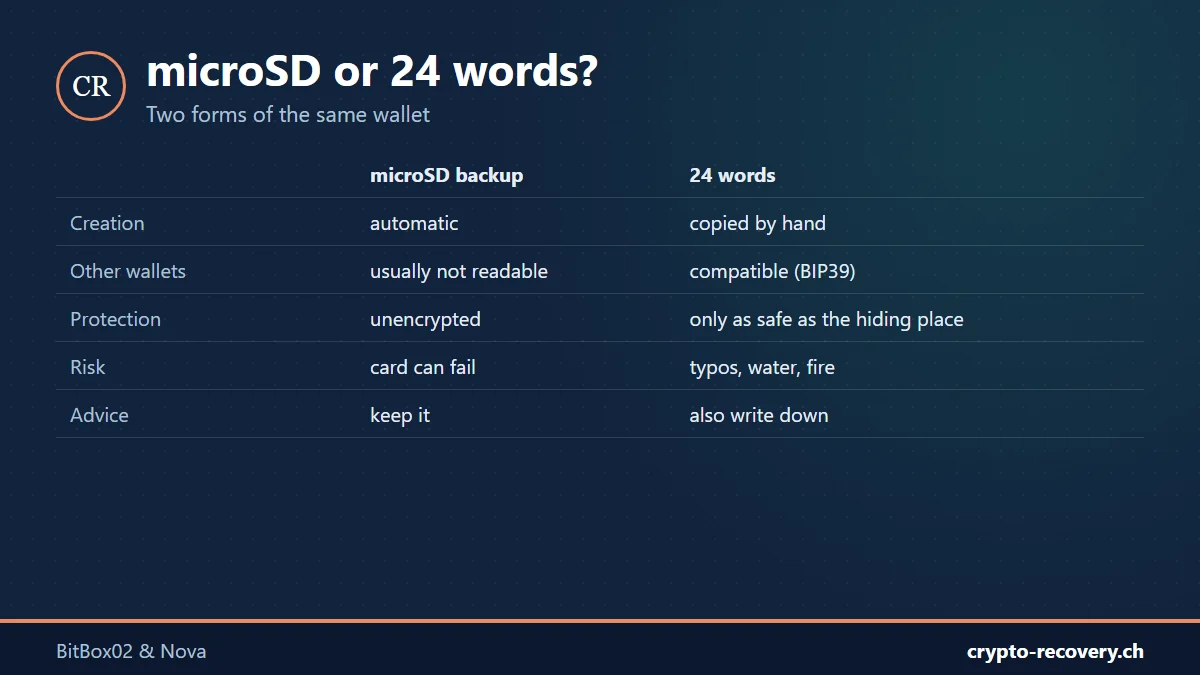
According to the BitBox help center, the microSD backup and the recovery words are two forms of the same information. Both open the same wallet, but they have different strengths:
- microSD backup: the BitBox writes it automatically, so you do not have to copy words by hand. However, the file is unencrypted and not protected by the device password. Other hardware wallets normally cannot import it directly, and memory cards can fail.
- 24 words on paper or steel: they also work with other compatible hardware wallets and do not depend on electronics. In return, every word must be written down correctly and in the right order. Only the BitBox itself shows the words, never the app.
Our advice: use both. As long as you can unlock the BitBox with its device password, it can show the words afterwards, according to BitBox: in the BitBoxApp on a computer under Settings → Manage device → “Show recovery words”. The words appear only on the BitBox display, one at a time and numbered, and are then checked on the device. No reset or new wallet is needed. Only ever insert the backup card into the BitBox, never into a computer, phone or camera, and keep the card and device in separate places. How to store words safely is covered in the guide seed phrase.
Recover a BitBox: the three most common cases
Device lost or broken
With the microSD backup or the words, you restore the wallet on a new or reset BitBox, including a BitBox Nova. You do not need the old device or its password. According to BitBox, choose “Restore from microSD card” in the BitBoxApp, not “Create wallet”, which would create a new, different wallet. Then set a new device password. Important: you restore an existing wallet via the BitBoxApp on a computer; the iPhone or iPad setup is intended for new wallets.
Forgot the device password
The device password cannot be reset or read out. According to the BitBox help center, the BitBox resets itself after ten wrong attempts and erases the wallet from the device. Earlier failed attempts count. Afterwards you restore the wallet from the backup and set a new password.
So the rule is: do not try any more passwords until you are sure you have the right backup. A card alone does not prove that it holds the backup of exactly this wallet. And never use the reset to test whether a backup works.
Only the microSD card left, no BitBox
The safest option is a new BitBox on which you restore the card. For emergencies, BitBox also offers a tool that reads the words from the backup offline on a computer. According to BitBox, this is a last resort for advanced users: the words are then considered compromised, and all coins must be moved to a newly generated wallet immediately. If a warning appears that the checksum does not match, the backup may be damaged. At that point at the latest, you should stop experimenting yourself.
Funds missing after the restore
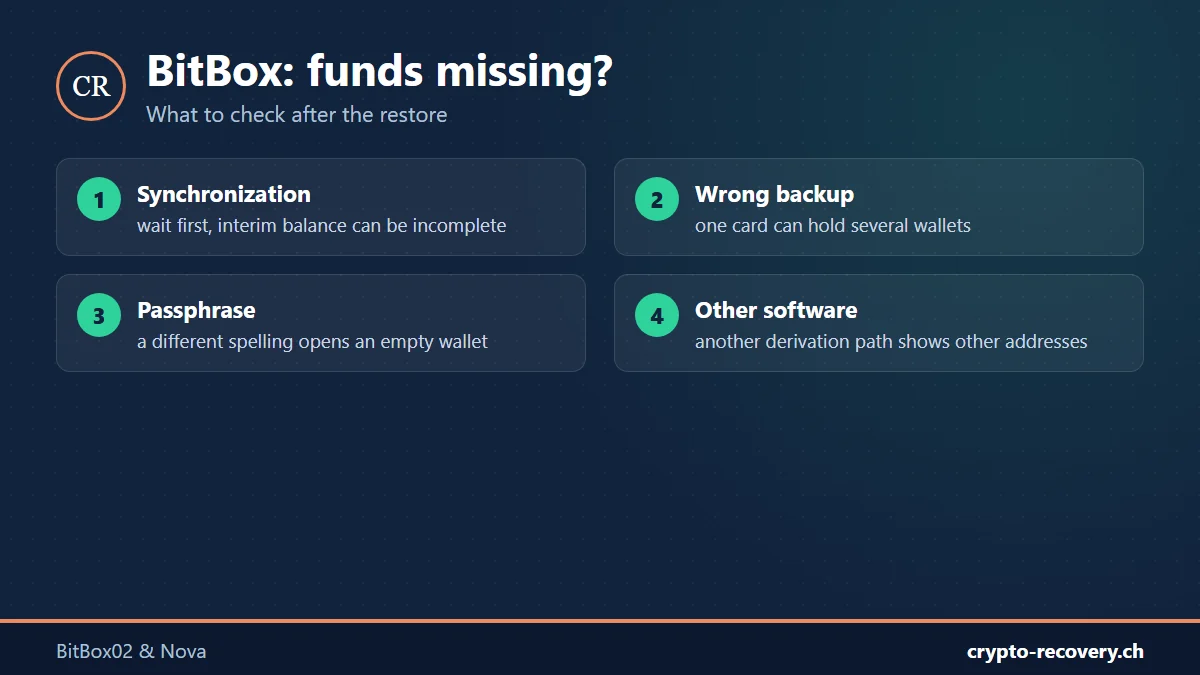
The restore worked, but the BitBoxApp does not show the expected balance? Check these points before resetting the device again:
- Synchronization: wait until all accounts have finished synchronizing. An interim balance can be incomplete.
- Wrong backup selected: one microSD card can contain backups of several wallets. Name, date and ID of the backup matter, not which one is newest.
- Passphrase forgotten or typed differently: every passphrase opens its own wallet, without an error message. Even a different capital letter or a space leads to an empty wallet.
- Accounts or tokens hidden: additional accounts may need to be added again after the restore.
- Other wallet software: if you restore the 24 words in another wallet, it may use different derivation paths or address types. The coins are not gone, they sit on addresses the software does not search automatically.
To see whether an address holds anything, use a blockchain explorer, no login needed. Only ever enter the public address there, never words, backup files or the passphrase.
Passphrase or words incomplete?
BitBox can recover neither passwords nor backups or passphrases. That applies to every manufacturer, because this data never leaves the device. This is often where our work begins: if individual words are missing, the order is unclear or you only remember parts of the passphrase, the search can be narrowed down. Up to three missing or wrong words are frequently reconstructable. More in the guides forgot passphrase and BIP39 word list.
No access to your BitBox wallet? Incomplete words, forgotten passphrase or zero balance after the restore: I will check your case for free. You only pay on success, and your data usually stays with you. Request a free assessment
Fake support, phishing and counterfeit devices
BitBox users are targeted too. According to the official overview:
- Support never asks for recovery words, backup, password, passphrase or PIN.
- Support works in writing, via the contact form at contact.bitbox.swiss. There are no calls, callbacks or remote sessions. Anyone who calls claiming to be BitBox support is a scammer.
- Official websites end in bitbox.swiss. Only download the BitBoxApp from there.
Always buy hardware wallets directly from the manufacturer, for BitBox that means the official BitBox shop*, not from resellers or marketplaces. Why this matters is shown in the section on tampered devices in the guide recover a Ledger. For an overview of devices, see the comparison best hardware wallet.
If your wallet was drained, this cannot be reversed technically. Report it to the police and be suspicious of anyone who promises to recover stolen coins for an upfront fee.
* Referral link: if you buy through it, I may receive a small commission. The price stays the same for you. Not investment advice.
Frequently asked questions about BitBox02 and BitBox Nova
Can I recover my BitBox without the old device?
Yes. With the microSD backup or the recovery words, you restore the wallet on a new or reset BitBox. You do not need the old device or its password, but you do need an optional passphrase if you used one.
What happens if I enter the BitBox password wrong ten times?
The BitBox resets itself and erases the wallet from the device. Earlier failed attempts count. Afterwards you restore the wallet from the backup and set a new password.
Is the BitBox microSD backup encrypted?
No. The backup file is unencrypted and not protected by the device password. Whoever has the card can restore the wallet. Keep it safe and separate from the device.
Can I use the BitBox backup in another hardware wallet?
Other hardware wallets normally cannot import the microSD file directly. The 24 recovery words, however, also work with other compatible wallets, provided they support the required networks and derivation paths.
How many words does the BitBox recovery phrase have?
By default 24 English words based on BIP39. The advanced setup also allows 12 words. The number is fixed when the wallet is created.
What is the difference between BitBox02 and BitBox Nova?
Both are models of the same family with microSD backup and the BitBoxApp. To use it with an iPhone or iPad, you need the BitBox Nova. Both come as a Bitcoin-only or Multi edition, set at the factory.
My BitBox is empty after the restore. What should I do?
Wait for synchronization, check whether you chose the right backup and whether the wallet had a passphrase. A different passphrase opens an empty wallet without an error message. Do not reset the device again.
Will BitBox support call me?
No. BitBox support only works in writing via the contact form and never asks for words, backup, password or passphrase. Calls, callbacks or remote sessions in the name of BitBox are a scam.