Exodus is one of the best-known crypto wallets for beginners: clear, many coins in one app and no account needed. But what does Exodus really cost, how do you cash out to your bank, how safe is the wallet, and what can you do if you forgot the password or the 12 words are rejected? This guide sums up the facts from the official Exodus help center, as of November 2026.
Key points
- Exodus is a self-custody software wallet for computers and phones. The keys stay on your device, not with Exodus.
- Everything depends on the 12 words (the “secret key”). Exodus does not store them and cannot recover them.
- The browser extension was discontinued on October 1, 2026. If you still have it installed, back up your 12 words now.
- Forgotten password, rejected words or a zero balance after restoring: this is often solvable as long as the words are partly known.
What is the Exodus wallet?
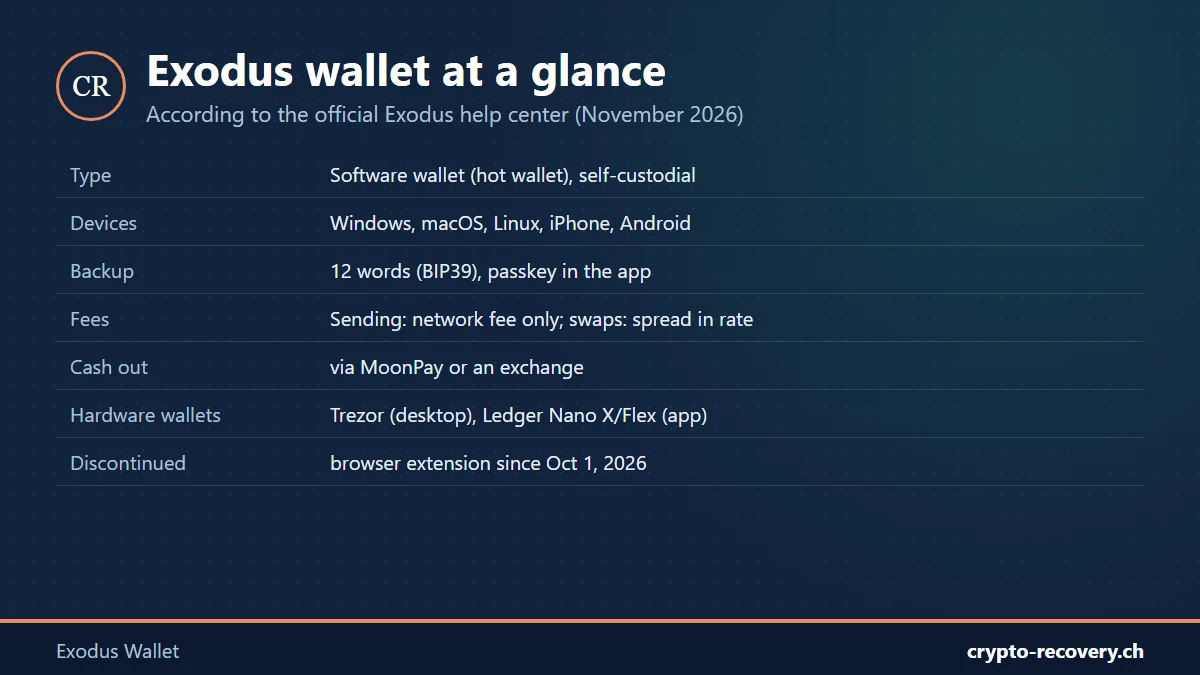
Exodus is a crypto wallet founded in 2015 by JP Richardson and Daniel Castagnoli. It is run by the US company Exodus Movement, Inc., whose shares have traded on the NYSE American since December 2024. According to its help center, Exodus supports more than 50 blockchain networks, including Bitcoin, Ethereum and Solana.
Exodus is self-custodial: you need no account, the wallet runs locally, and according to Exodus the company has access neither to your keys nor to your transaction history. Exodus is available for Windows, macOS and Linux, and as an app for iPhone and Android. The “Exodus Web3 Wallet” browser extension has no longer been supported since October 1, 2026.
Exodus is a hot wallet, meaning software on a device connected to the internet. For larger amounts, Exodus can be combined with a hardware wallet: on desktop with Trezor (Model One, Model T, Safe 3, Safe 5), in the app with the Ledger Nano X and Ledger Flex, and with the Trezor Safe 7 via Bluetooth.
Exodus download: only from the official site
Fake Exodus apps are one of the most common traps. According to Exodus, download the desktop version only from exodus.com/download, and the phone app only from the App Store or Google Play. Official domains are exodus.com and exodus.io. To be sure, you can check the desktop file’s signature using the Exodus guide. Never use links from ads, emails or Telegram.
Exodus fees: what does the wallet cost?
- Wallet: free.
- Sending: According to Exodus, it charges no fee of its own; you only pay the network fee of the blockchain. Receiving is free.
- Swapping: When you swap between coins, a spread is included in the rate, plus the network fee. You see the exact amount before you confirm.
- Buying and selling: This runs through partner companies, with a processing fee from the partner plus the network fee.
Exodus withdrawal: how do you get money to your bank?
Exodus itself holds no cash balance in euros or dollars. According to Exodus, selling in the app only works through its partner MoonPay:
- To a bank account: fully supported in the US (ACH). In Europe (SEPA) and the UK only if you have previously bought crypto with MoonPay using that same bank account.
- To a Visa debit card: available in many countries, including Germany, Austria and Switzerland.
- Through an exchange: send the coins from Exodus to your account at a regulated exchange and sell them there. This is often the easier route, for example via OKX or Bybit.*
When sending to an exchange, always check the network. If you send USDT on the wrong network, for example, you quickly end up with a case for the guide crypto sent on the wrong network.
* Partner link: if you sign up through it, I may receive a commission. Nothing changes for you. Not investment advice.
Exodus review: pros and cons
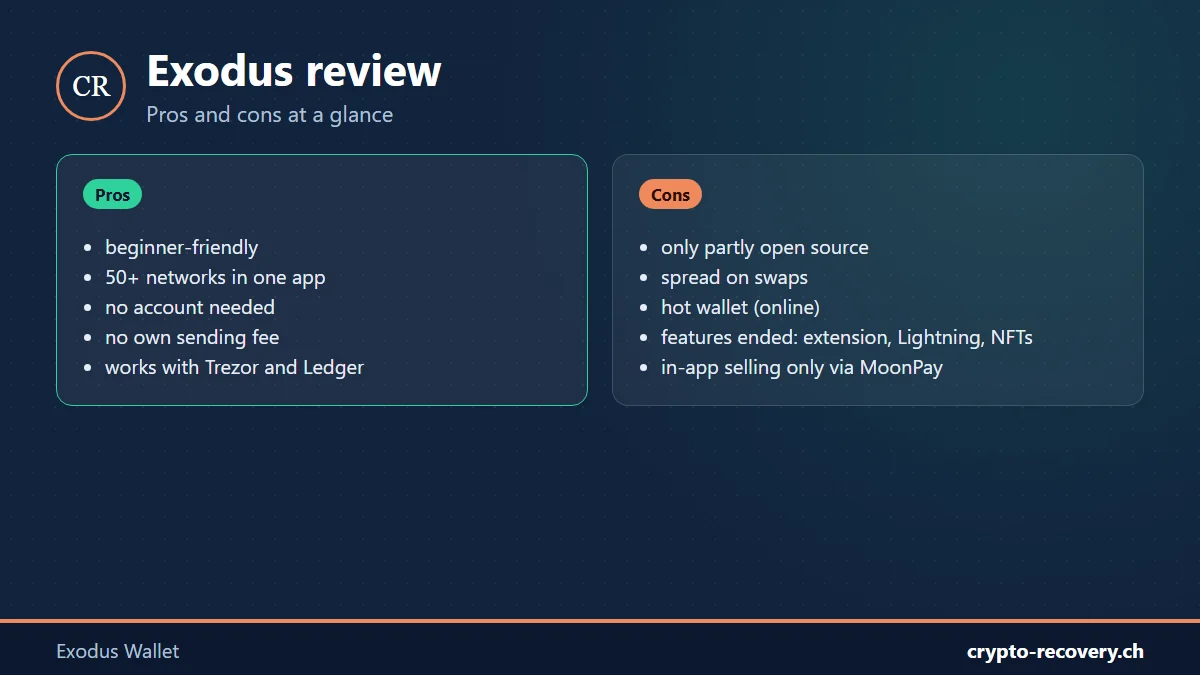
What speaks for Exodus: the interface is beginner-friendly, many networks are combined in one app, you need no account, and Exodus charges no fee of its own for sending. The combination with Trezor or Ledger is a plus for larger amounts.
What you should know: according to Exodus itself, the wallet is only partly open source; some of the code is not public. Swaps include a spread in the rate. Exodus has recently discontinued several features: the browser extension (October 2026), WalletConnect and the web3 browser in the app (September 2026), Lightning (August 2025) and the NFT gallery (December 2026). Some coins have also been removed, for example Monero (XMR). If you still hold such coins in Exodus, you need the 12 words or the private keys to move them to another wallet.
Is Exodus safe?
There is no confirmed hack of the Exodus software. The risks almost always lie with the user: malware on the computer, fake apps, phishing and fake support. On desktop, a password protects the wallet files when Exodus is closed; on the phone, the screen lock or Face ID does. But neither protects you if someone knows your 12 words. If you hold larger amounts, keep them on a hardware wallet. More in our best hardware wallet comparison.
Exodus backup: 12 words, passkey and password
- 12-word secret key: Exodus always uses 12 words based on the BIP39 standard. According to Exodus, they are stored encrypted on your device, not with Exodus. If you lose them, Exodus cannot help. The words cannot be changed either, only replaced by creating a new wallet.
- Passkey (app only): in the mobile app, the encrypted key can also be backed up with a passkey via iCloud or Google.
- Not a substitute: a normal iCloud or Google backup of your phone does not contain your 12 words.
- Password (desktop): it only encrypts the wallet files on that computer. It does not replace the 12 words.
Write the 12 words on paper and keep them in a safe place, not as a photo or in the cloud. Tips in the seed phrase guide.
How to restore an Exodus wallet
To restore, you only need the 12 words, not the old password. According to the Exodus help center:
On desktop
- Install Exodus from exodus.com/download and open it.
- Choose “Import Wallet” on the welcome screen.
- Enter the 12 words in the correct order, in lowercase, without numbers.
- After “Restore Complete”, set a new password.
In the app
- Open the app, go to settings via the profile icon and choose “Restore account”.
- Choose “Secret Key” and confirm that it is your own wallet.
- Enter the 12 words and tap “Restore”. Syncing can take a few minutes.
Important: if Exodus is already set up with another wallet, that wallet is overwritten when you restore, not merged. Make sure beforehand that you also have the 12 words for the current wallet.
Using your Exodus words in another wallet
Because Exodus uses the BIP39 standard, the 12 words generally work in other wallets too, such as MetaMask for Ethereum. According to Exodus, however, the wallet uses its own derivation paths for Cardano, Solana, Stellar and Tezos. In that case another wallet shows an empty account even with the right words. Exporting the private key or using a wallet that supports the Exodus path helps here.
Exodus problems: the most common cases
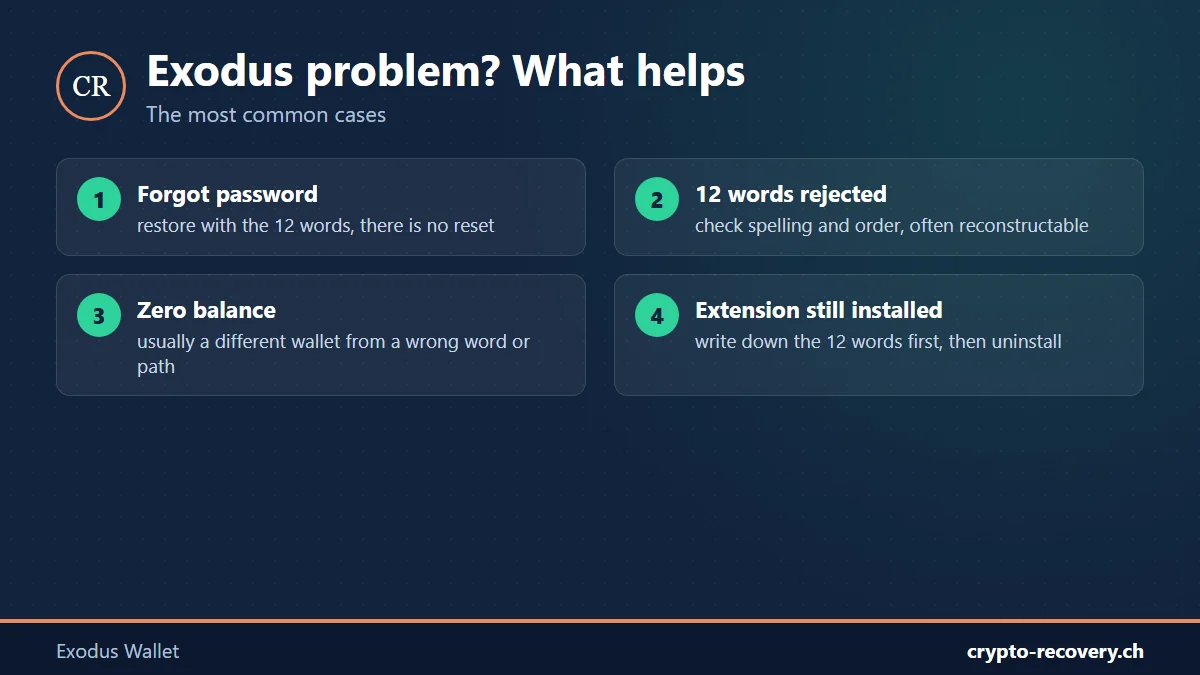
Forgot your Exodus password
There is no reset. According to Exodus, without the password the only way back in is the 12 words. On desktop you have unlimited password attempts and there is no lockout. If you do not have the words but remember parts of the password, the search can be narrowed down. More in the guide forgot wallet password.
The 12 words are rejected
Usually a word is written down wrong, mixed up or the order is wrong. Check each word against the BIP39 word list. Up to three missing or wrong words are frequently reconstructable.
Zero balance after restoring
According to Exodus, this is almost always a different wallet: a word is wrong or the order is swapped, and it still happens to produce a valid phrase. A different derivation path (see above) or a removed coin can also be the reason.
Exodus browser extension still installed?
Since October 1, 2026, the extension is no longer supported, according to Exodus. An installed extension can now only show you your 12 words. So only uninstall it once you have written the words down safely, because afterwards they can no longer be shown.
Lost access to your Exodus wallet? Whether it is a forgotten password, faulty 12 words or a zero balance: I will check your case for free. You only pay on success, and your words usually stay with you. Request a free initial assessment
Beware of fake Exodus support
According to its own warning, Exodus never asks for your password, private keys or 12 words and does not send unsolicited emails. Scammers still pose as Exodus: by email with a spoofed sender, on Telegram, Discord or X, with remote-access software, or with “gifted” wallets whose words supposedly hold a balance. If your coins were stolen, they cannot be recovered technically. Go to the police, and distrust anyone who promises to get stolen money back for an upfront fee.
Coming from the discontinued Jaxx wallet? Read the guide Jaxx wallet recovery.
Frequently asked questions about the Exodus wallet
Is the Exodus wallet legit?
Exodus is a well-known wallet from the US company Exodus Movement, Inc., whose shares have traded on the NYSE American since December 2024. The wallet is self-custodial: Exodus has no access to your keys. There is no confirmed hack of the Exodus software.
Is Exodus a hot wallet or a cold wallet?
Exodus is a hot wallet, meaning software on a device connected to the internet. For larger amounts, it can be combined with a Trezor or Ledger hardware wallet.
What fees does Exodus charge?
Exodus charges no fee of its own for sending; you only pay the network fee. Swaps include a spread in the rate, and buying and selling through partners comes with a processing fee.
How do I cash out from Exodus?
In the app only via MoonPay: to a bank account (ACH in the US; SEPA or UK only if you previously bought through MoonPay with that account) or to a Visa debit card. Alternatively, send the coins to a regulated exchange and sell there.
Can Exodus reset my password?
No. Without the password, the only way back into your wallet is the 12 words. Exodus stores neither the password nor the words. If you remember parts of the password, the search can be narrowed down.
Can I restore Exodus without the 12 words?
Only if you set up a passkey backup in the app, or if you know the password for a wallet that is still on your computer. A normal phone backup does not contain the 12 words. If only some words are missing, up to three are frequently reconstructable.
Why is my balance zero after restoring?
Usually you restored a different wallet because a word is wrong or the order is swapped. For Cardano, Solana, Stellar and Tezos it can also be the derivation path if you use the words in another wallet.
Is the Exodus browser extension still available?
No. Exodus ended support for the Exodus Web3 Wallet extension on October 1, 2026. An installed extension only shows the 12 words. Write them down before you uninstall it.