Atomic Wallet is a free multi-coin wallet for computers and smartphones. It manages hundreds of coins and tokens in one app, and your keys live only on your device. So you can only access your wallet through your device and your 12 words; Atomic itself cannot restore access for you. Based on the official Atomic help center, this guide explains how to recover your Atomic Wallet, why it is sometimes empty afterwards and how to cash out your coins.
Key takeaways
- With your 12-word phrase, you can restore Atomic on any device. You do not need the old device or the old password.
- As long as you can still open the app, display your 12 words and check your backup. If both password and words are gone, nobody can help.
- Atomic does not warn you about wrong words. A typo simply opens an empty wallet. A balance of 0 after a restore therefore usually means the phrase is not quite right.
- You cannot cash out to a bank account directly from Atomic, only through an exchange.
What is Atomic Wallet?
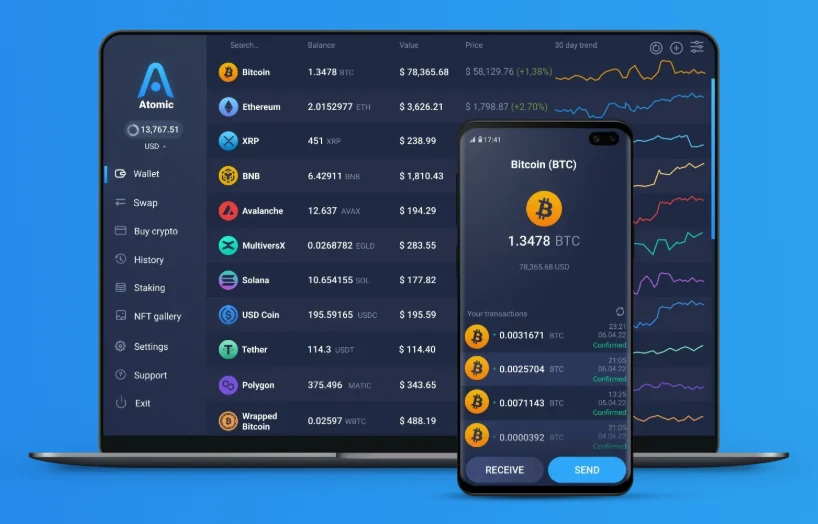
Atomic Wallet is a self-custody wallet: during setup, the app creates a 12-word phrase. The keys for all coins are derived from it; according to Atomic, it is the “master key”. The phrase is stored encrypted only on your device, protected by your password. Atomic has no access to it and does not store accounts on servers.
Important for your security: there is no web version of Atomic Wallet. According to Atomic, any website that asks for your 12 words to “restore” or “validate” a wallet is a scam form.
Recovering Atomic Wallet: what you need
Forgotten password
The password only applies to the app on that device and cannot be reset. With your 12 words, choose “Restore from backup” on the start screen, enter the phrase and set a new password. According to the Atomic help center: lowercase letters only, one space between words and none before or after.
Phone or computer broken or lost
Here too, only the 12 words help. Install Atomic on the new device (only from atomicwallet.io or the official app store) and restore the wallet. Your coins are on the blockchain, not in the device.
You can still open the app
Then now is the best moment to check your backup. Under “Settings” → “Private Keys”, Atomic shows your 12 words after you enter the password. Compare them word by word with your paper. According to Atomic, anyone who loses both password and words loses access permanently.
The 12 words don’t work
From practice
With Atomic, it is the same as with many other wallets: most clients come to me when they really need the backup for the first time and the 12 words then don’t work. Words are partly illegible, were written down wrong or swapped. – Thomas Wagner, Crypto Recovery
Atomic has a special feature: the app does not check the phrase during a restore. According to the Atomic help center, it opens a wallet even for words that are not on the word list at all. That wallet is then empty, without an error message. Anyone who sees a balance of 0 after a restore has therefore almost always entered a phrase that is not quite right. Check:
- Are all 12 words on the BIP39 word list? A word missing from it was written down wrong. Similar words such as boy/box are typical.
- Is the order correct? Swapped words produce a different, empty wallet.
- Lowercase letters only, no extra spaces?
- Is there a second device with the same wallet, or an old screenshot of the words?
Up to three wrong or missing words can often be reconstructed; more on that in the guide seed phrase.
Your Atomic words don’t work? Illegible, swapped or wrongly written words can often be found systematically. I review your case for free, and you only pay if it succeeds. Request a free assessment
Words correct, but still a balance of 0?
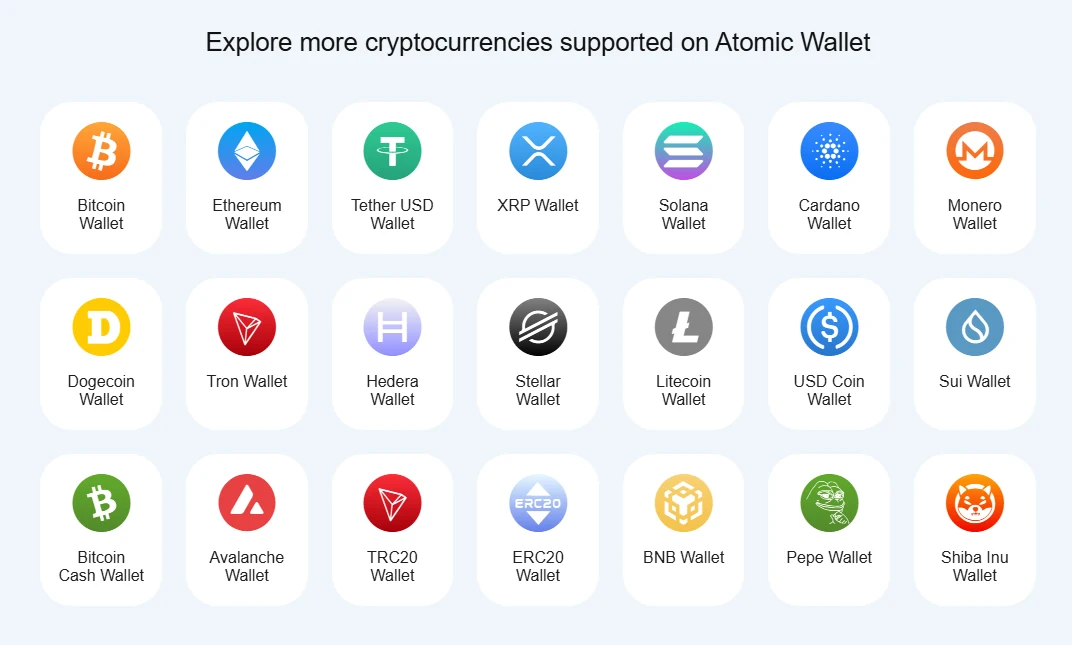
If the phrase is definitely correct, there are two other typical causes:
- Words entered in another wallet: Atomic uses specific derivation paths for each coin and publishes them in its own list. Other wallets sometimes use different paths and then show empty addresses despite the correct words. The coins are not gone; they are just under a different path.
- Coins on the wrong network: if a transfer went over a different network than expected, for example USDT via BNB Smart Chain instead of Ethereum, the balance is not visible in the usual view. More in the guide crypto sent on the wrong network.
Cashing out from Atomic Wallet
According to Atomic, you cannot cash out directly from the app to a bank account. The usual route: send the coins to your account at a regulated exchange, sell them there and transfer the amount to your bank account, for example via OKX or Bybit.*
When sending to an exchange, always check that the exchange and Atomic use the same network, and send a small test transfer first for larger amounts.
The 2023 Atomic hack and common scams
From June 3, 2023, Atomic users reported transactions they had not made themselves. In its statement, Atomic says that fewer than 0.1% of users were affected and that the cause has not been conclusively determined. Stolen coins cannot be recovered technically. Those affected should report it to the police. Beware of so-called “recovery” services that promise to get stolen coins back for an upfront payment: that is almost always the next scam.
Atomic itself describes another scheme: scammers pose as Atomic support, a government agency or a law firm. They set up a wallet for you or send you ready-made 12 words; the wallet contains worthless fake tokens. To “unlock” the supposed balance, you are asked to deposit real coins, which are gone immediately. Atomic never contacts anyone first and never asks for your words. Anyone who gives you 12 words or sets up a wallet via remote access (TeamViewer, AnyDesk) has full access to it themselves.
No access to your Atomic Wallet? Wrong words, a balance of 0 after a restore or coins on the wrong network: I review your case for free, and you only pay if it succeeds. I cannot help with stolen coins; the police are the right place for that. Request a free assessment
Frequently asked questions about Atomic Wallet
Can I recover Atomic Wallet without the password?
Yes. The password only applies to the app on one device. With your 12 words, restore the wallet via “Restore from backup” and set a new password.
What happens if I lost both the password and the 12 words?
Then, according to Atomic, access is lost. Atomic stores neither the password nor the phrase and cannot return them. So as long as you can still open the app, back up the 12 words under “Settings” → “Private Keys”.
Why is my Atomic Wallet empty after the restore?
Usually the phrase is not quite right. Atomic opens a wallet even with wrong words, without an error message, and it is then empty. Check spelling, order, lowercase letters and spaces.
Can I use my Atomic phrase in another wallet?
In principle yes, the 12 words follow the BIP39 standard. However, other wallets sometimes use different derivation paths and then show empty addresses. Atomic publishes its own paths in its help center.
Can I cash out from Atomic Wallet to my bank account?
Not directly. Send the coins to a regulated exchange, sell them there and transfer the amount to your account. Make sure you use the right network.
Is there a browser version of Atomic Wallet?
No. According to Atomic, there is no web version for restoring. Websites that ask for your 12 words are a scam.
Can coins stolen in the Atomic hack be recovered?
No. Stolen coins cannot be recovered technically. Report it to the police and avoid services that promise recovery for an upfront payment.
* Referral link: if you sign up through it, I may receive a commission. There is no extra cost for you. Not investment advice.