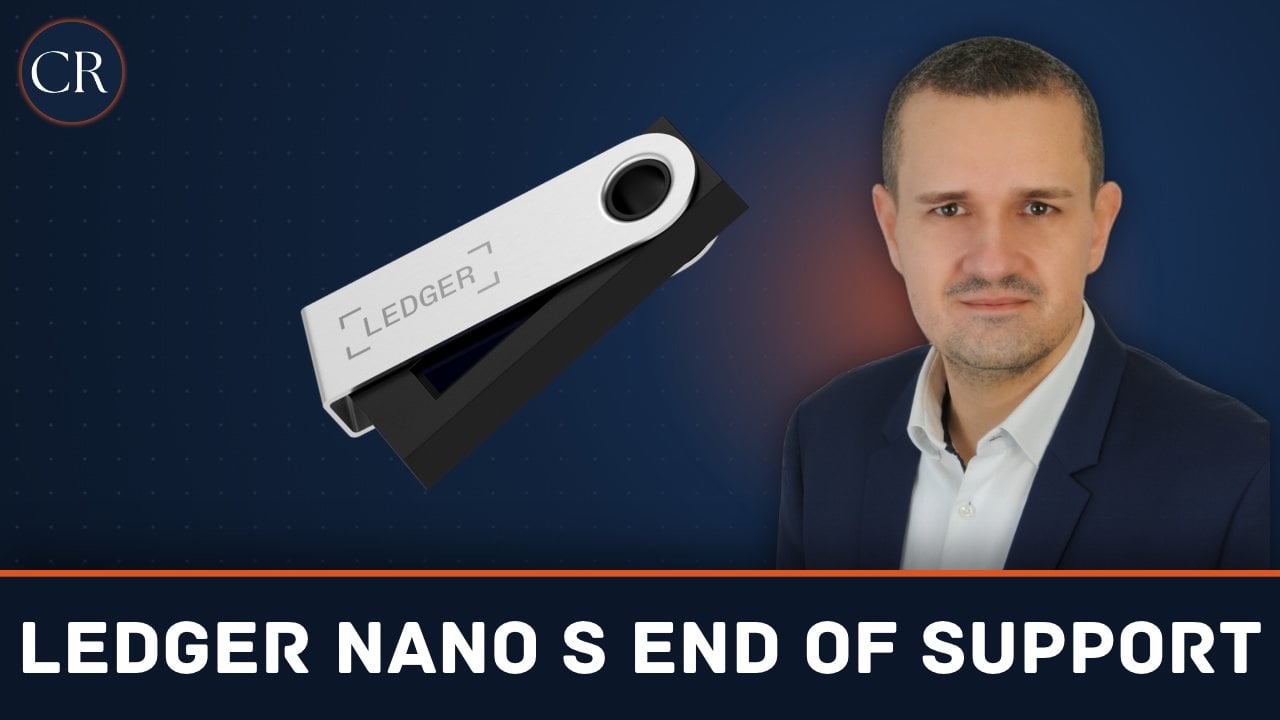
For years the Ledger Nano S was the best-selling hardware wallet. Many people still own one, often in a drawer and not plugged in for years. Since Ledger gradually ended support, many owners are asking: are my coins still safe? And what do I need to do now?
In short: your coins are not stored on the device but on the blockchain. What matters is your recovery phrase. This guide shows what Ledger has officially announced, what it means in practice and which mistakes to avoid when switching.
Key points
- Ledger declared the Nano S “end of life” in June 2022. After that, updates were only provided for a limited time.
- Only the original Nano S is affected, not the Nano S Plus.
- Your coins are not gone. With your 24-word recovery phrase you move to a new device.
- Never enter the words on a computer, smartphone or website.
What Ledger has officially announced
With the launch of the Nano S Plus, Ledger stopped producing the Nano S. The last devices were sold in 2022 as a “Final Edition”, as Ledger writes in its farewell post on the Nano S.
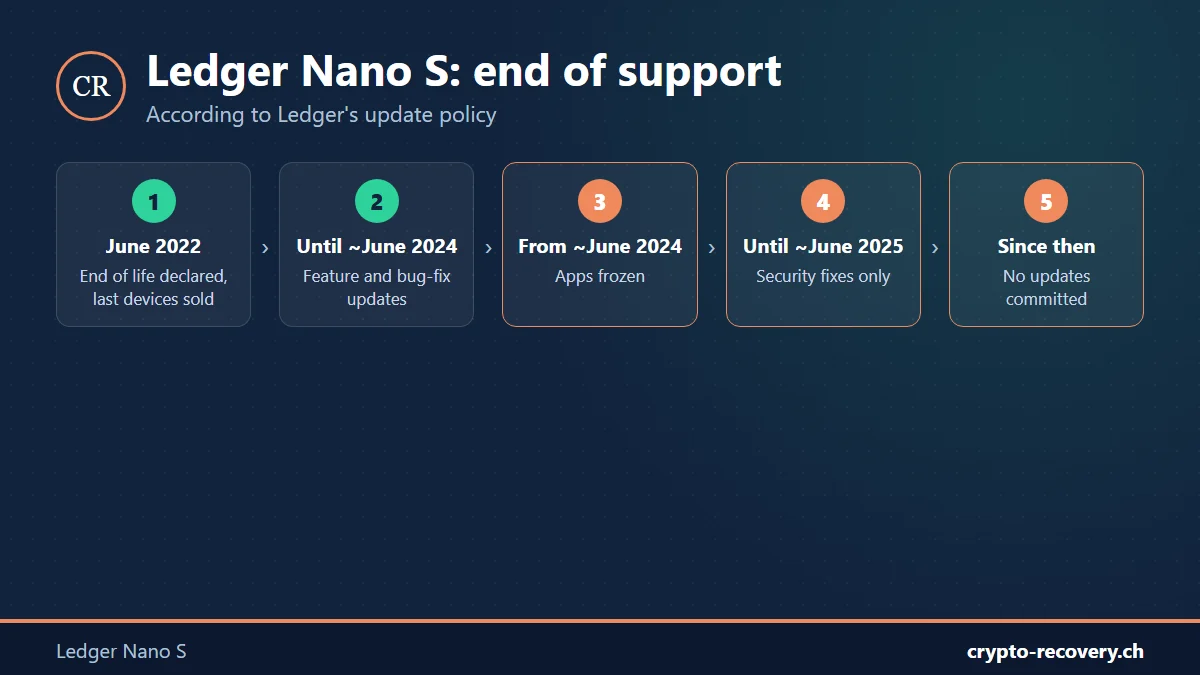
What happens to updates after that is set out in Ledger’s update policy. It lists the Nano S as an end-of-life device dated June 2022. For such devices:
- For two years after end of life there were still feature and bug-fix updates, i.e. until around June 2024.
- After that the apps are frozen. They may keep working, but will no longer be adapted to changes in the blockchains.
- In the third year there were only fixes for security vulnerabilities, i.e. until around June 2025.
Since then Ledger no longer commits to any updates for the Nano S. According to the same policy, missing updates can make apps unstable or stop them from working altogether if a network changes fundamentally.
Nano S or Nano S Plus: which device do you have?
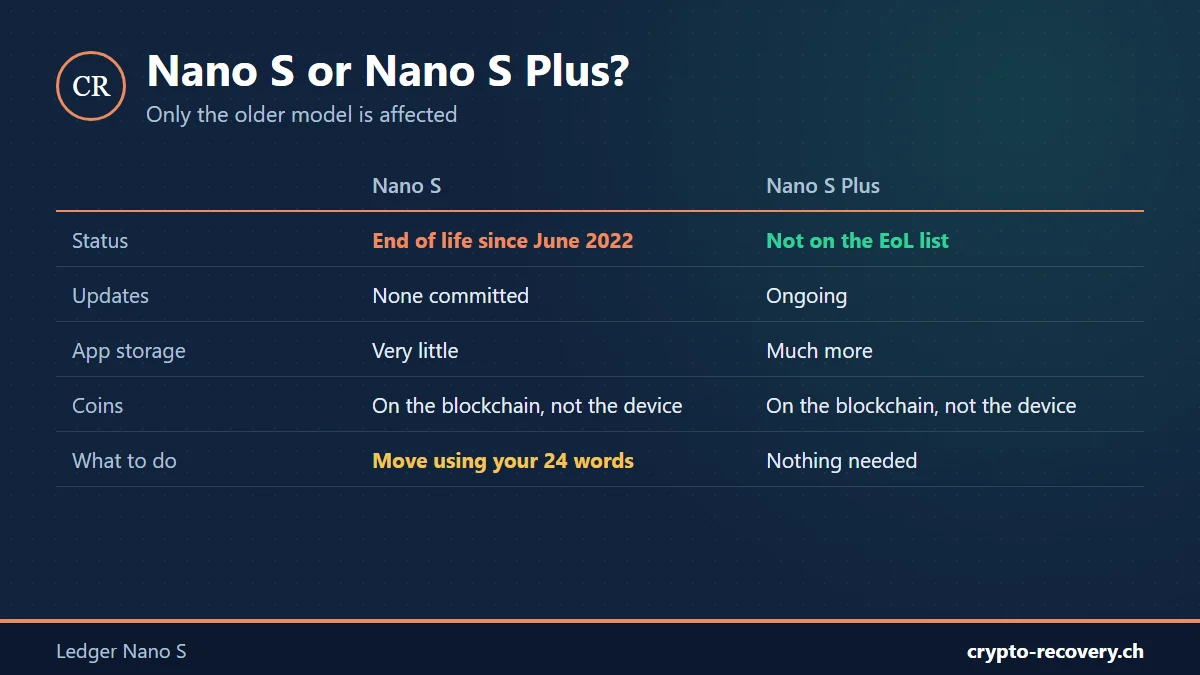
The names are almost identical, which causes a lot of confusion. The Nano S is the older model with a small screen and very little storage for apps. The Nano S Plus is the successor with a larger screen and more storage. It is not on the list of end-of-life devices. If in doubt, the exact name is printed on the back of the device or on the packaging.
Are your coins at risk now?
Not directly. A hardware wallet only stores the keys, the coins live on the blockchain. As long as you have your 24 words complete and correct, you can restore your wallet on any compatible device.
The risk lies elsewhere: if a network changes its rules, a frozen app on the Nano S may no longer be able to sign transactions. Then you can no longer reach the coins with the old device, even though they are still there. Anyone who only discovers at that moment that the recovery phrase is missing or faulty has a real problem.
What you should do now
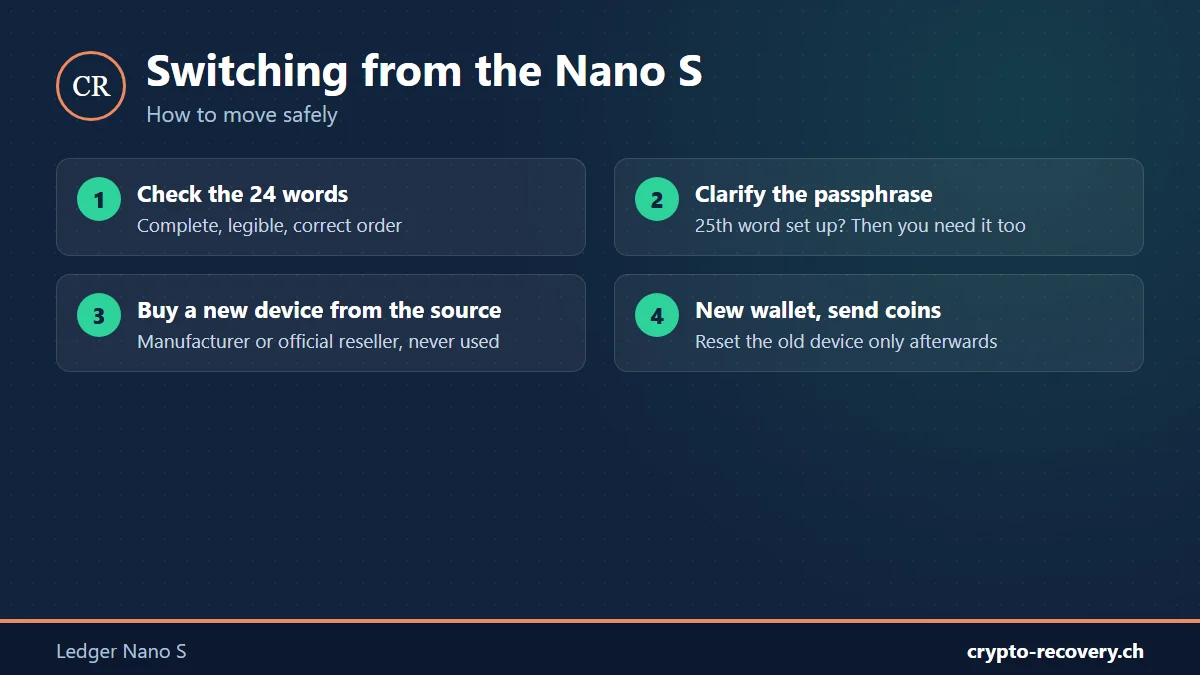
- Find your recovery phrase. Locate your sheet with the 24 words. Check that all words are legible and the order is correct.
- Clarify the passphrase. Did you also set up a passphrase (25th word)? Then you need it too. See Forgot passphrase.
- Buy a new device only from the original source. Directly from the manufacturer or an official reseller, never second-hand. Which devices are worth considering is shown in the hardware wallet comparison.
- Move while the Nano S still works. The safest option: create a new wallet with new words on the new device and send the coins over. Then the old phrase no longer matters either.
- Reset the old device only afterwards. And only once all coins have arrived in the new wallet.
Important: Ledger itself warns on every support page that the company never asks for the 24 words. Emails, text messages or calls about the “end of support” asking you to enter the words are phishing. More in the guide Spotting crypto scams.
Unsure about switching? In a personal security training I show you how to set up your hardware wallet and backup safely and which mistakes most often lead to losses. Your words stay with you. Get in touch
Common problems with an old Nano S
Forgotten PIN
After three wrong PIN entries the Nano S resets itself. So do not guess. Restore the wallet on another device with your recovery phrase. Without the phrase, there is no access after the reset.
Recovery phrase faulty or incomplete
A word written down wrongly, one missing, the order not right: the restore is rejected. Up to three missing or wrong words can often be reconstructed. More in the guide Seed phrase.
The account is empty after restoring
Often a passphrase was set up that is missing during the restore. The coins are then in a different wallet that only becomes visible with the correct passphrase. With what you remember about spelling and patterns, the search can be narrowed down.
Device broken
A broken Nano S is no loss as long as the recovery phrase exists. Without the phrase and without a working device there is no technical way back. An overview of all cases is given in the guide Wallet recovery.
How Crypto Recovery helps
For faulty recovery phrases and forgotten passphrases I check the possible variants systematically. The initial assessment is free. The recovery takes place via Zoom or on site in Perg, and you usually carry out the steps yourself under guidance on your own device. Remote control software is never used.
You only pay on success: for a recovered value under 1,000 US dollars a flat 100 euros, above that 10%. No upfront payment. How I handle sensitive data is described on the page Security and process.
Your words are rejected or the wallet is empty? Have your case checked free of charge. No success, no fee. Free initial assessment
Frequently asked questions about the Ledger Nano S
Is the Ledger Nano S still supported?
Only to a limited extent. Ledger declared the Nano S end of life in June 2022. According to Ledger’s policy, there were updates for two more years and only security fixes in the third year. Since then no updates have been committed to.
Are my coins on the Nano S lost?
No. The coins live on the blockchain. With your 24-word recovery phrase you restore the wallet on another device.
Does the end of support also affect the Nano S Plus?
No. The Nano S Plus is the successor and is not on Ledger’s list of end-of-life devices.
Can I keep using the Nano S?
Possibly for now, but the apps are no longer being adapted. If a network changes its rules, the Nano S can no longer sign transactions for it. Moving to a current device in good time is safer.
I forgot my Nano S PIN. What should I do?
Do not guess: after three wrong entries the device resets. Restore the wallet on another device with your recovery phrase.
My recovery phrase is rejected. Can it be saved?
Often yes. Up to three missing or wrong words can often be reconstructed. The initial assessment at Crypto Recovery is free, and you only pay on success.